Dashboard
Real-time dashboardMetrics, Jobs, History, Load Testing
Monitor your integration engine with live system metrics, running job tracking, execution history, and built-in load testing — all powered by WebSocket updates.
Configure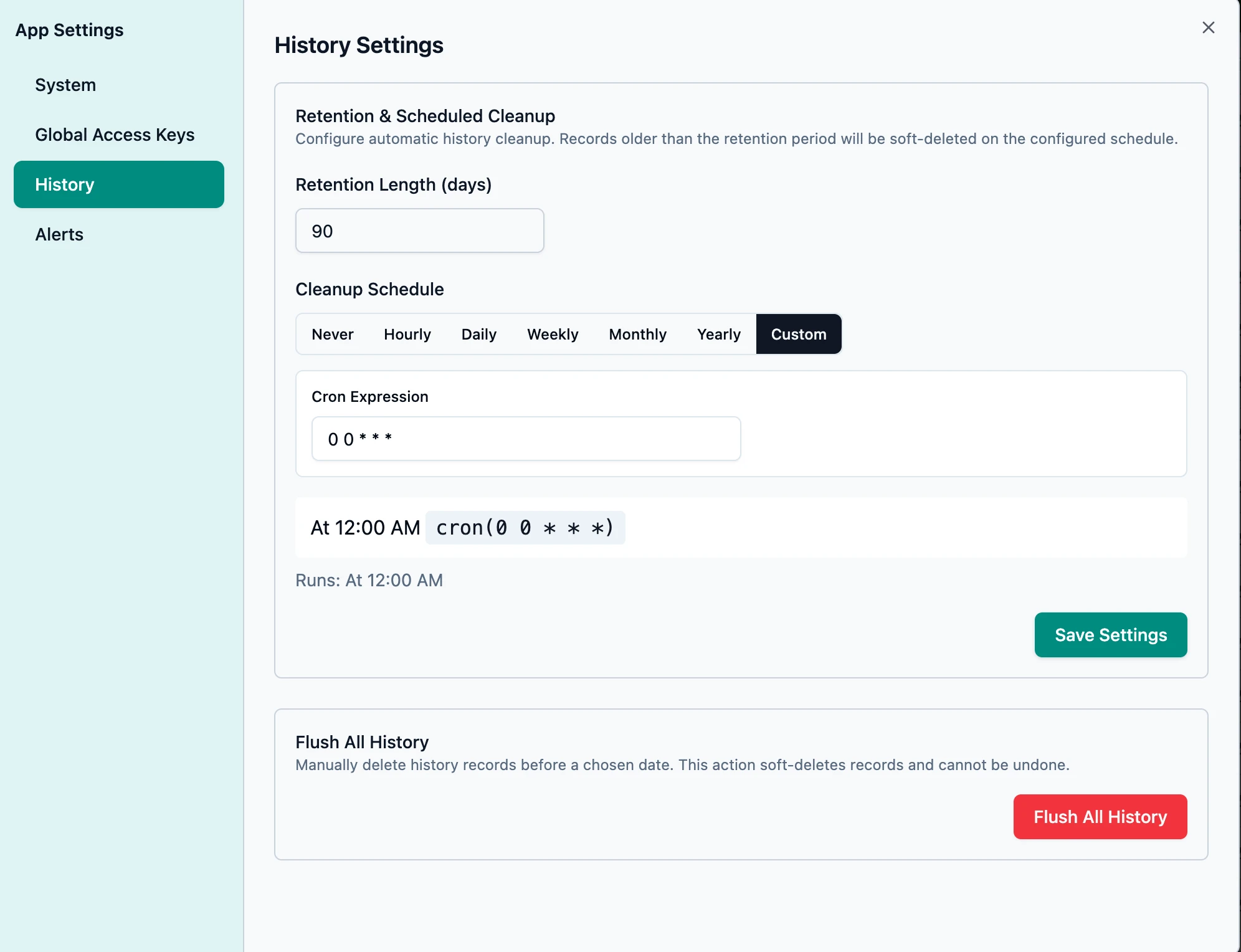
Configure key system parameters
Tune the system parameters to suit your integrations and hardware capacity.
- Global access key protection for external API calls
- Specify how many integrations can execute in parallel
- Specify the size of the Redis-backed job queue — when full, jobs will be buffered to the database
- Alert notification management
System Metrics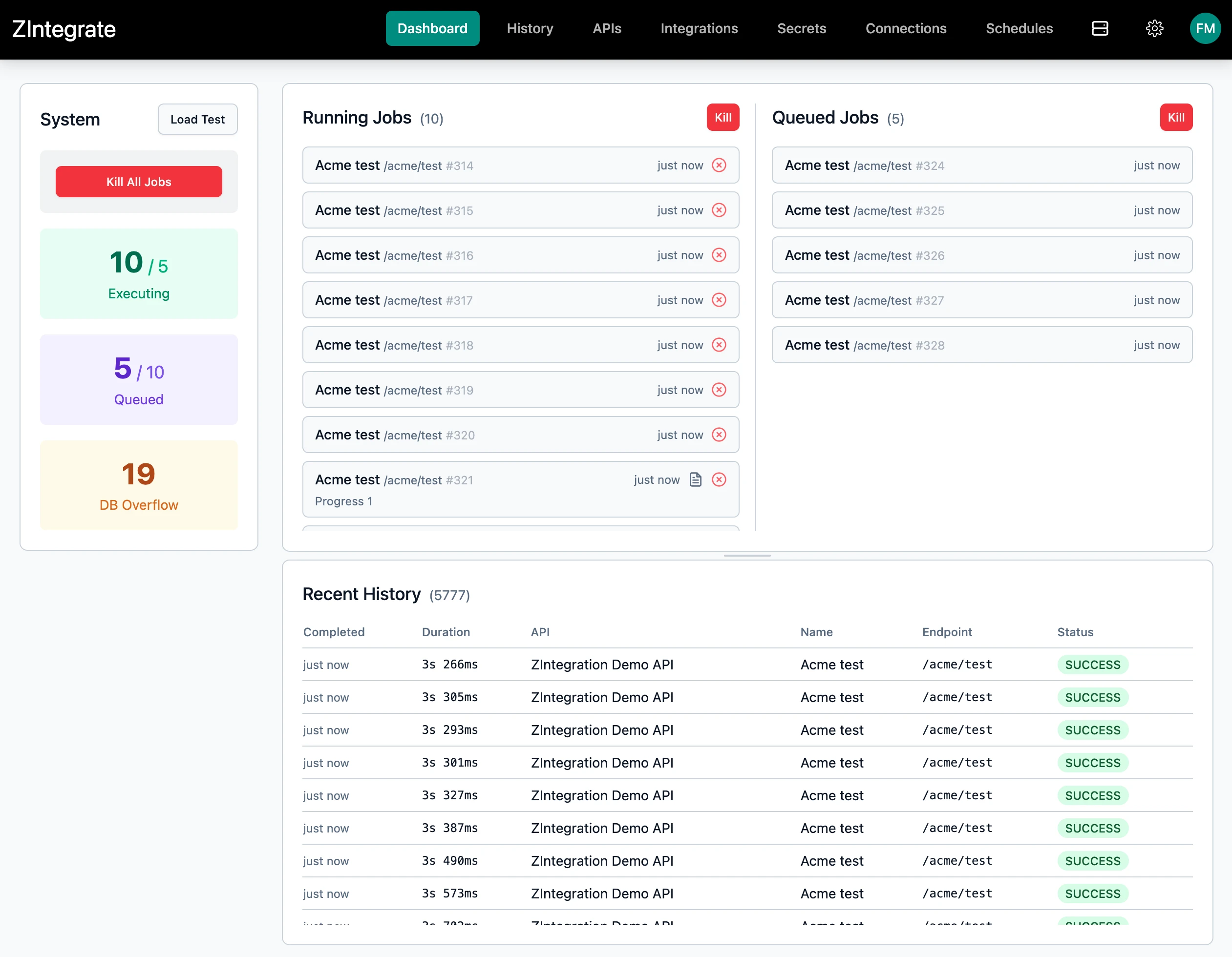
Live System Metrics at a glance
Instant visibility into your system capacity.
- Current executing jobs vs max concurrent limit
- Queued jobs vs system queue size
- Database overflow count
Load Testing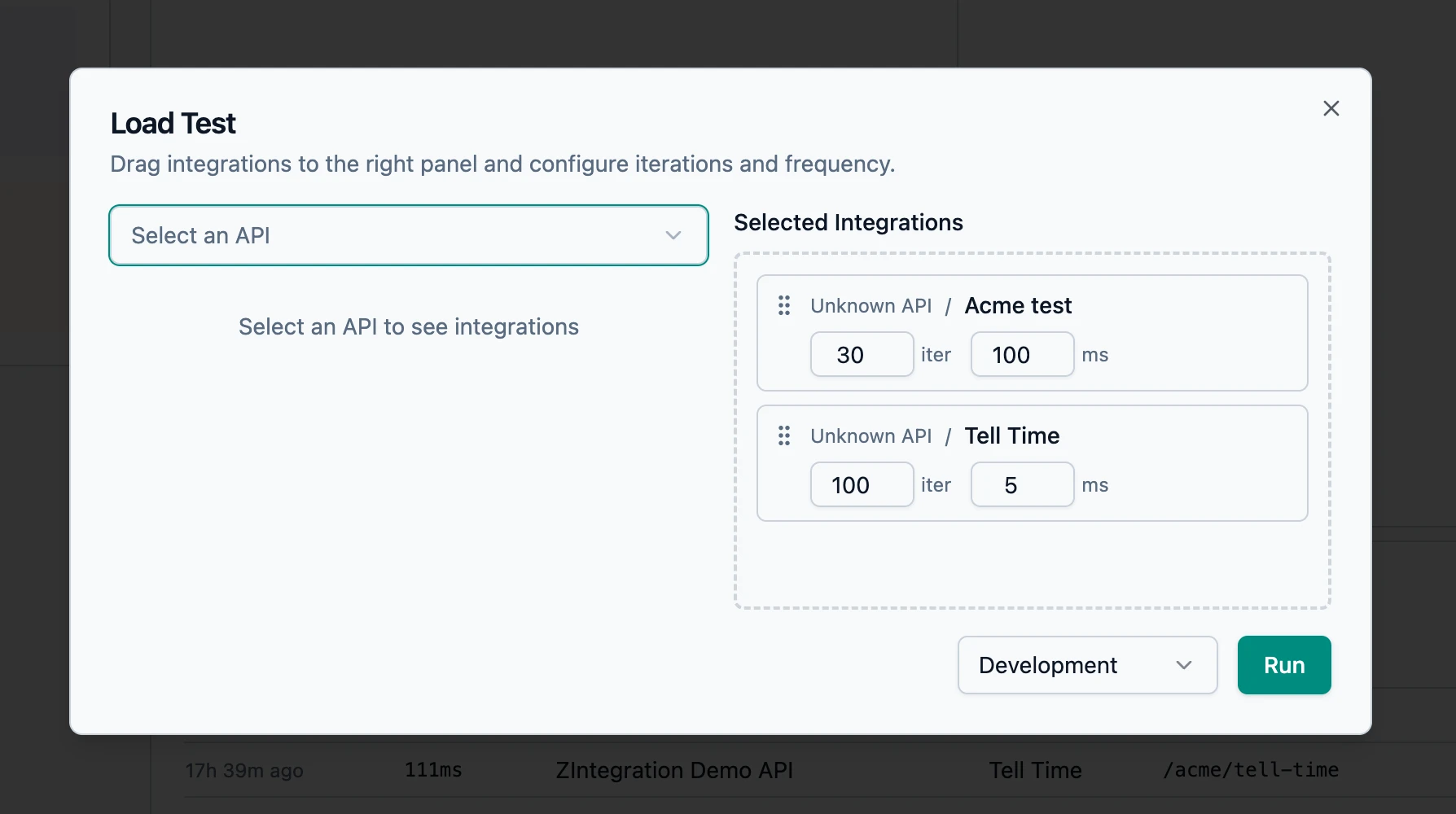
Built-In Load Testing drag-and-drop configuration
A load test modal with drag-and-drop integration selection, per-integration iteration count and frequency configuration, environment selector, and real-time WebSocket progress tracking.
- Configure integrations to include
- Per-integration iteration count and frequency (ms) configuration
- Environment selector: Development, Staging, Production
- Jump to the dashboard when running to see how it's performing, then tune the settings if required