Integrations
Integration managementConfigure, Execute, Protect
Map integrations to API endpoints, execute on demand with JSON payloads, protect with execution keys, and switch between environments with visual safety warnings.
Integration Grid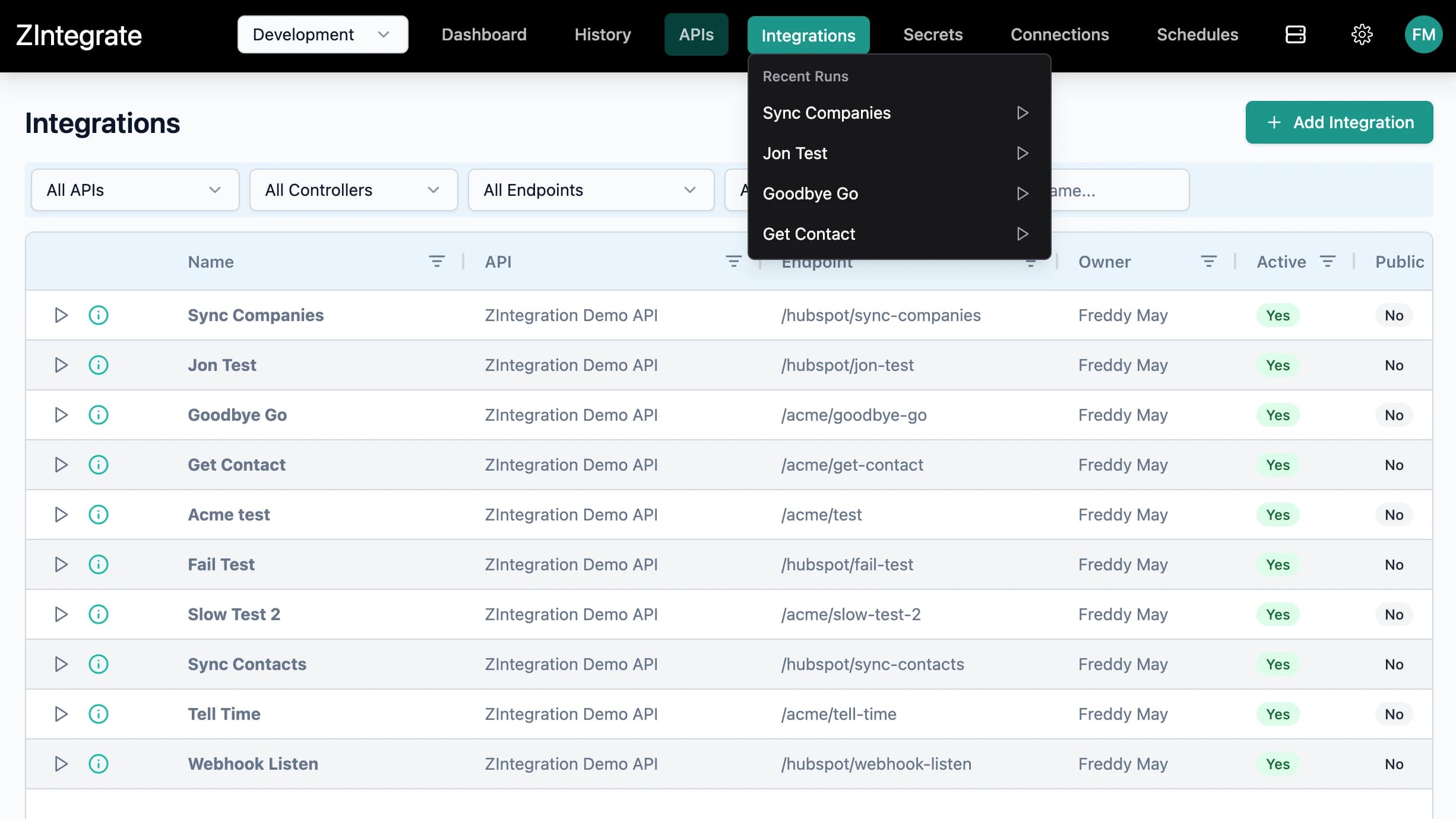
Integration Overview filterable, actionable
An AG Grid displaying all integrations with action buttons, key indicators, API and endpoint mappings, ownership, and status badges. Toolbar filters support cascading dropdowns across API, Controller, Endpoint, Owner, and Name.
- Columns: Actions (execute, key indicator, docs), Name, API, Endpoint, Owner, Active, Public, Created
- Toolbar filters: API, Controller, Endpoint (cascading), Owner, Name search
- Case-insensitive substring name search with Clear Filters button
- Organization-scoped with all operations filtered by current organization
Environment
Environment Management dev, staging, production
Switch between Development, Staging, and Production environments.
- Environment selector: Development, Staging, Production
- Environment context passed to all execution and scheduling operations
- Connections can be managed by ZIntegrate and queried by your API handler, requesting the environment it is operating in.
Configuration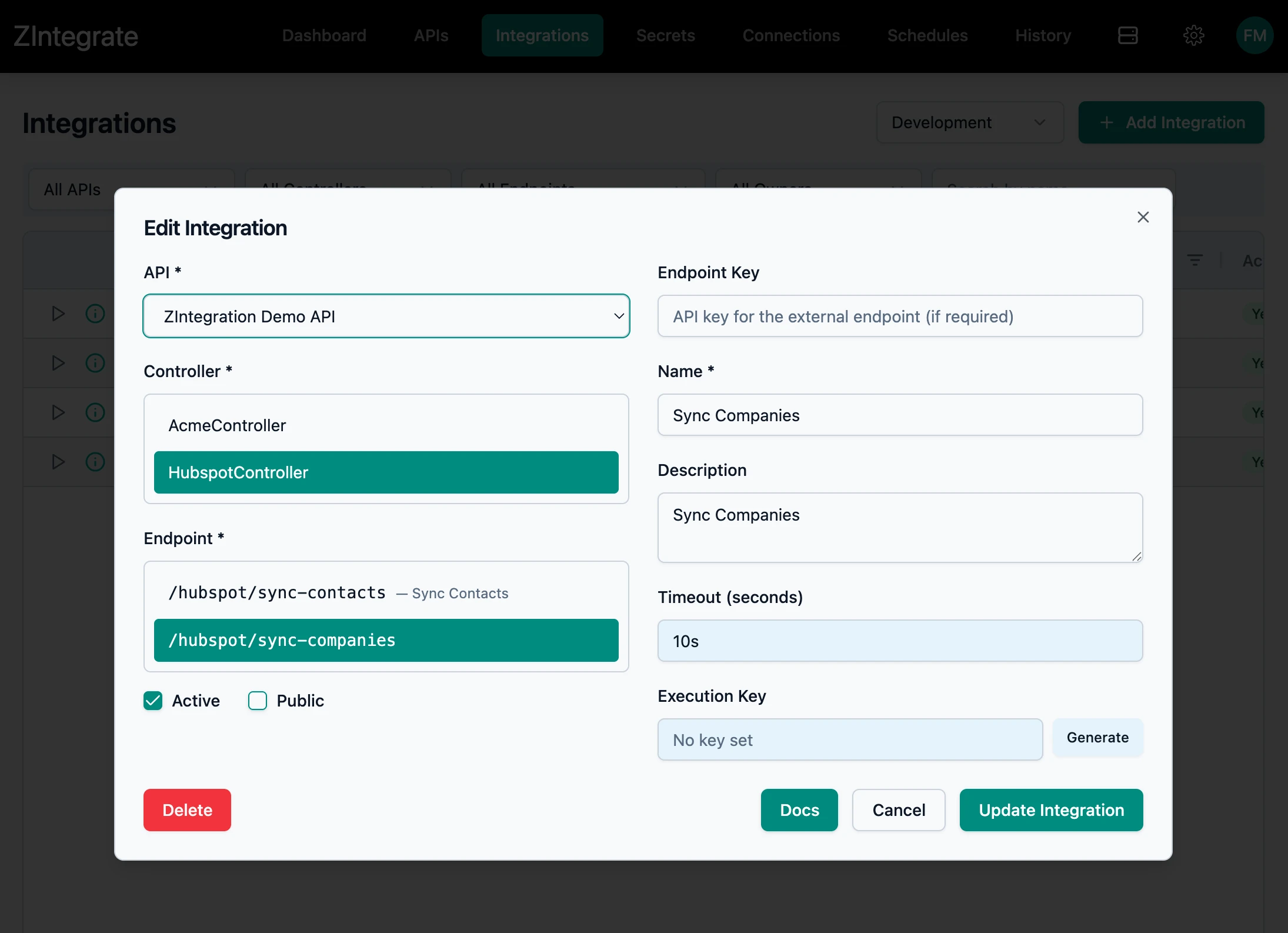
Integration registration and configuration
Select an integration from an API to add.
- Added Integrations can be externally triggered, monitored and logged
- Auto-populates Name, Timeout, and other fields from the selected API
Execution Keys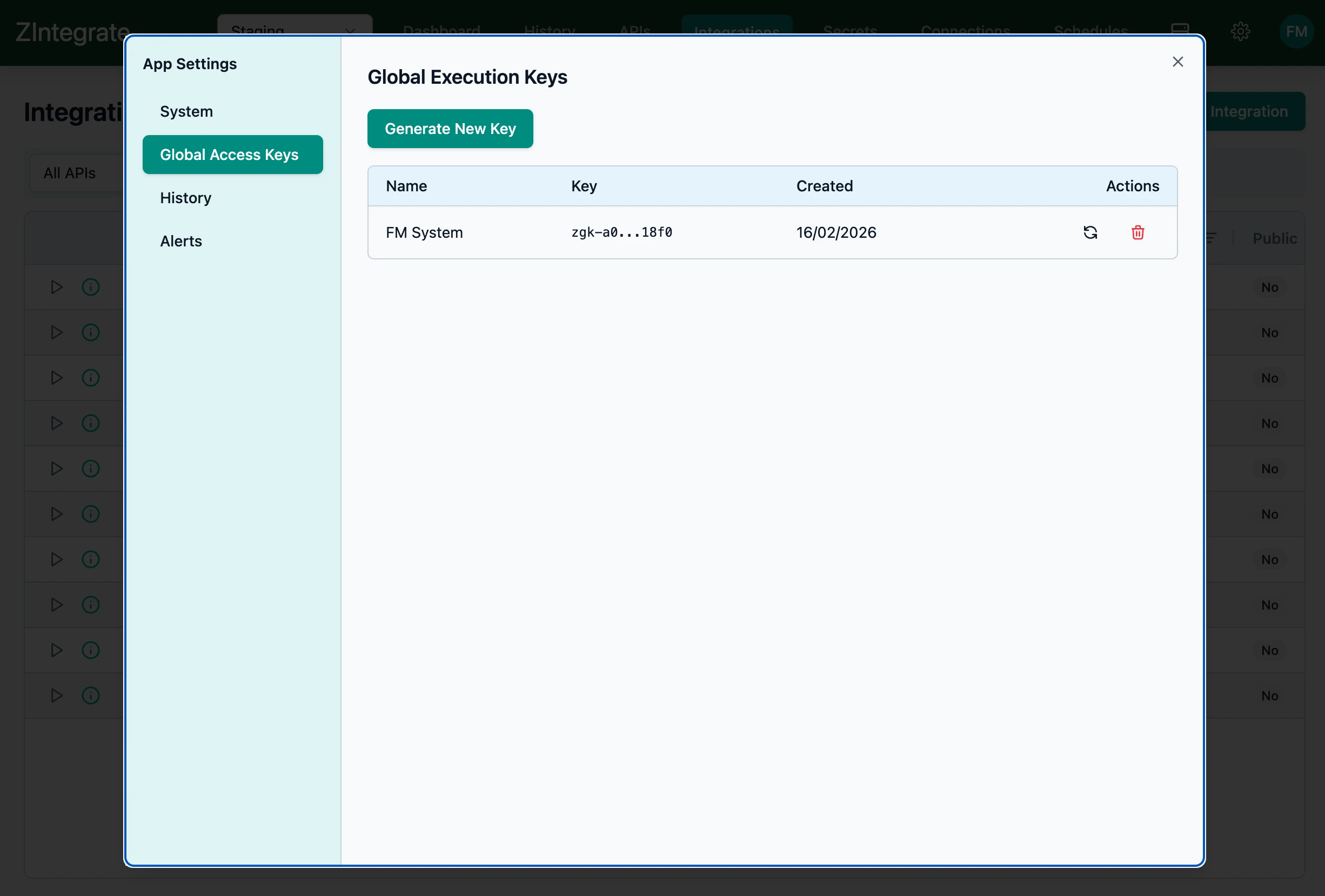
Execution Key Management for external triggers
Protect integrations at the system, API or Endpoint level.
- Generate button creates a new endpoint key with one-time visibility and copy-to-clipboard
- Suspend Execution Key checkbox temporarily disables key without deletion
- Trigger protection also provided at the System and API level
Execution & Docs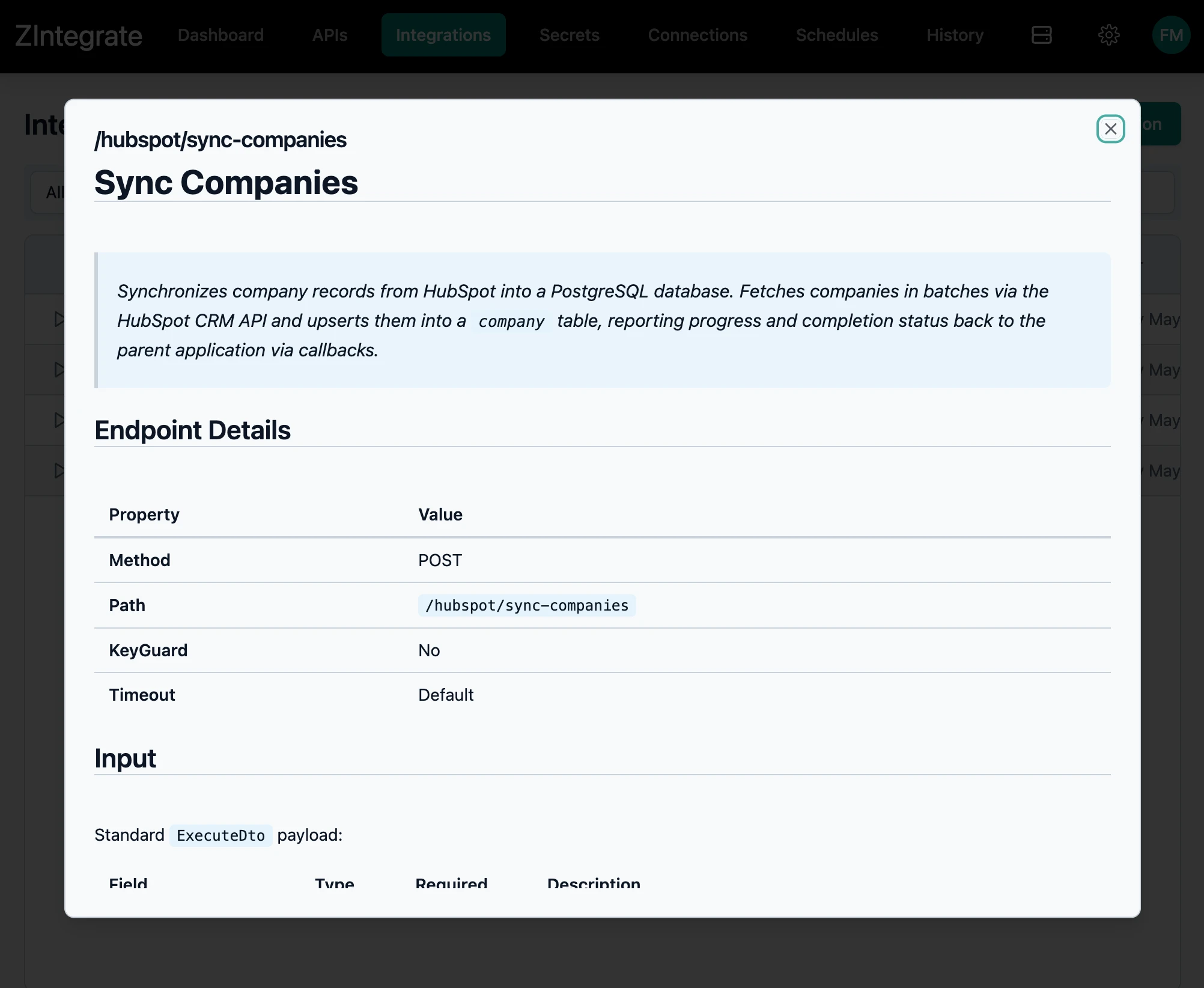
Execute & Document run and review
Execute integrations from the UI. Bring up AI-generated documentation for any integration.
- Run Integration from the listing and optionally provide a data payload.
- Endpoint documentation is AI-generated by the API developer and then displayed per integration