Your DevOps portalProvision, Build, Deploy, Monitor
Source code included in the monorepo.
Provisioning backed by Terraform
Infrastructure management powered by Terraform — provision and destroy environments from the admin portal with real-time terminal output. Inspect deployed state: master/slave IPs, VPC, Route53 domain, S3 buckets, instance types. View raw tfvars configuration and check application health endpoints.
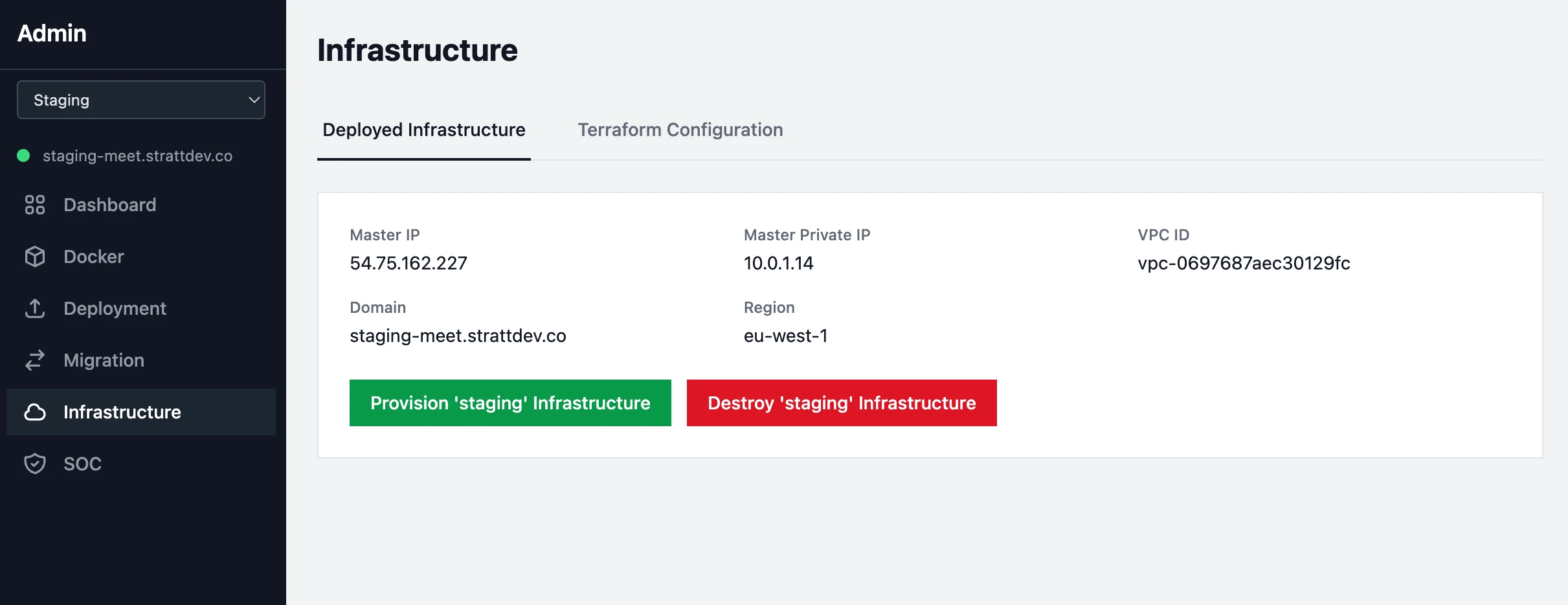
- One-click Terraform provisioning and destruction with streaming terminal output
- Remote Terraform state
- Deployed state display
- Terraform configuration viewer
- Application health monitoring
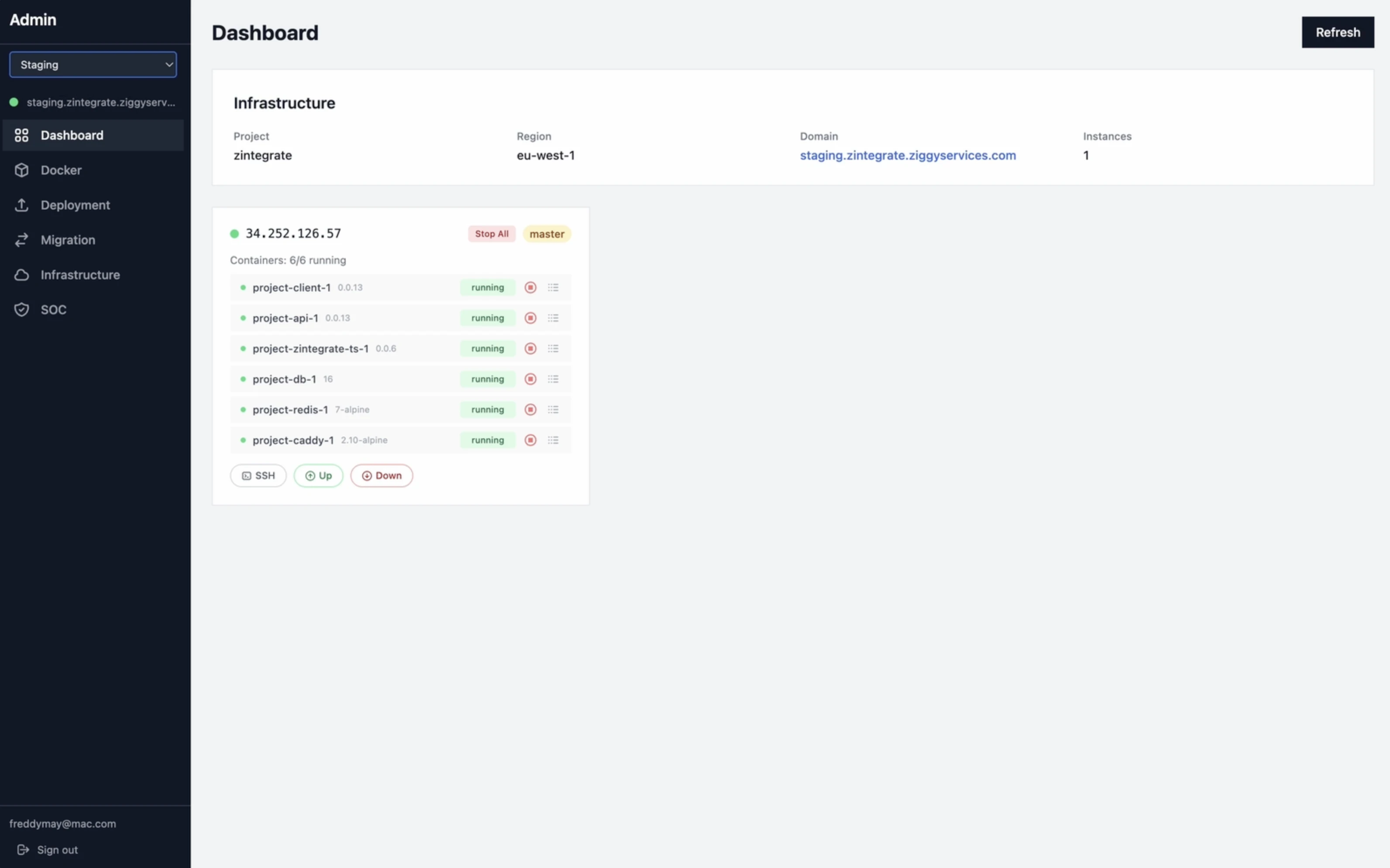
Instance & Container Monitoring real-time, across the cluster
The dashboard shows every Docker container running across your master and slave nodes — status, ports, image versions — with color-coded state indicators and 30-second auto-refresh. One-click SSH access to any instance, container start/stop controls, and live log tailing from the browser.
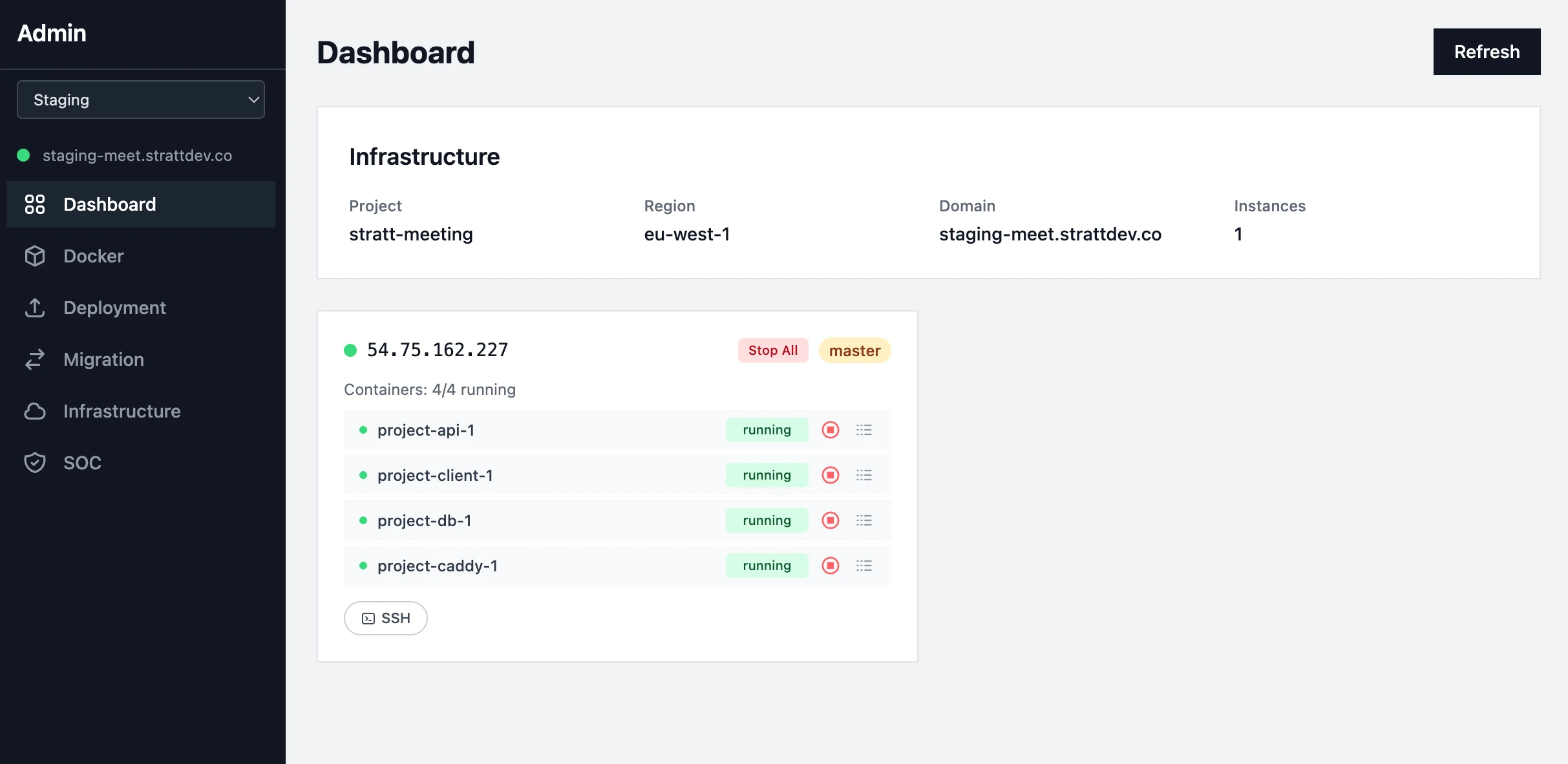
- Start/stop individual containers or all containers on any instance
- SSH into any deployed instance
- Live container log tailing (1000-line tail) in a modal terminal output
Build, Push, Deploy ECR pipeline in four tabs
A four-step Docker workflow built into the admin portal: build images from source, push to AWS ECR, pull from ECR to your instances, and inspect deployed image versions — all with real-time terminal output.
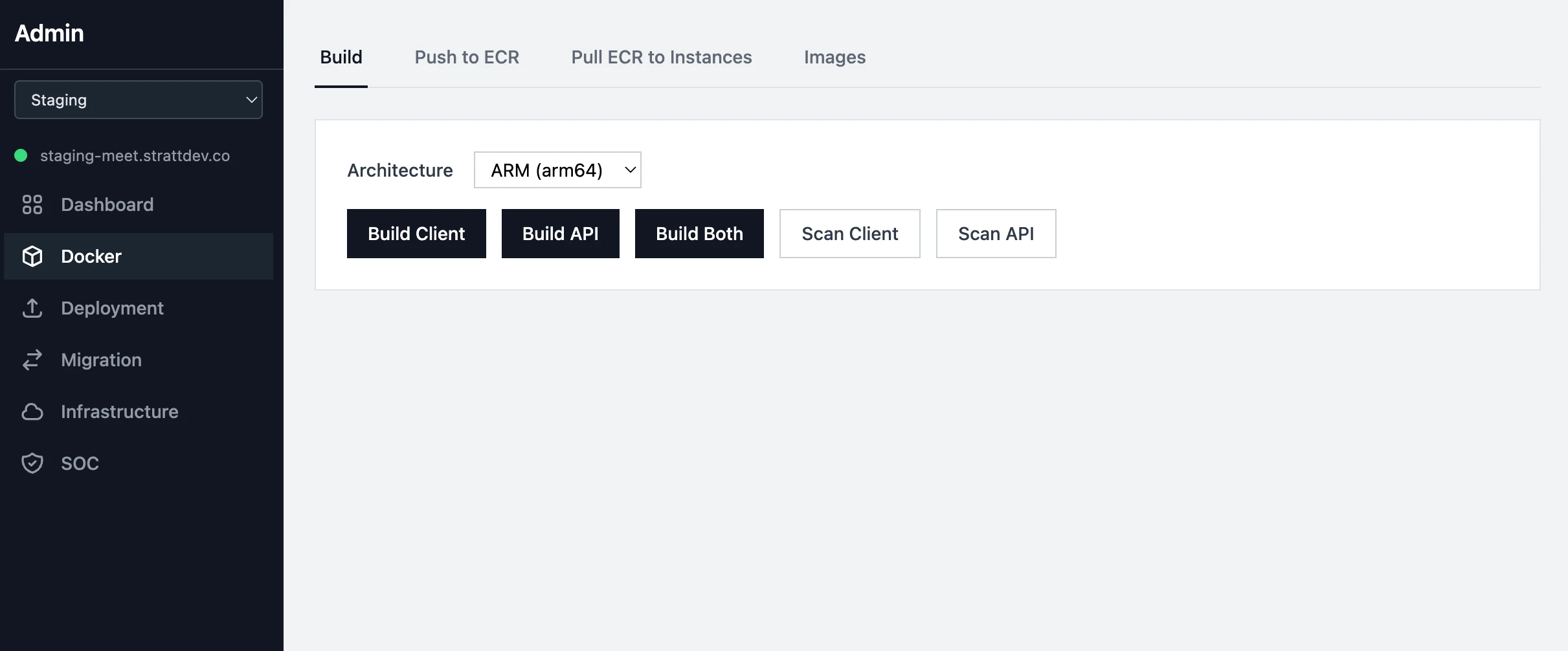
- Build your application's Docker images
- Tag, bump versions and push your Docker images to AWS ECR
- Pull ECR images to deployed master and slave instances for container deployment
- Terminal output for every operation — no black-box waits
Backups, SMTP, OAuth, Encryption eight configuration surfaces
Eight configuration surfaces covering backups, email, OAuth, encryption, and security scanning — all managed from the admin portal.
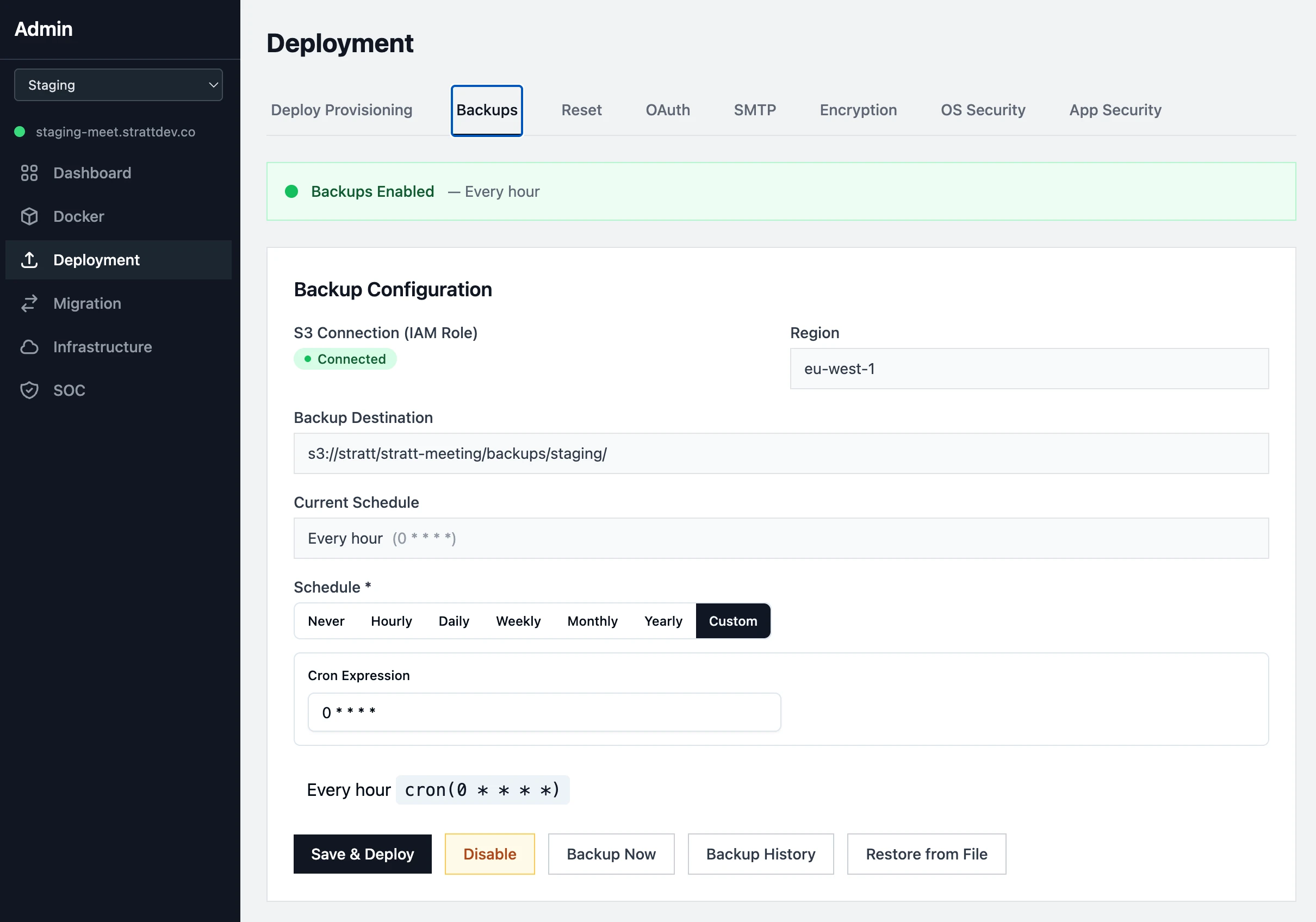
- S3 backup scheduling with cron builder, retention policies, and one-click restore from history
- Manual backup and restore from database dumps
- SMTP email configuration with connection testing
- OAuth setup with credential management
- Encryption key configuration for field-level AES-256-GCM
- OS-level and application-level security scanning with auto-remediation
Merge diverged code and migrate your data with our wizards
Badly diverged code and database schemas can be a nightmare to fix. This takes away a lot, if not all, of the pain.
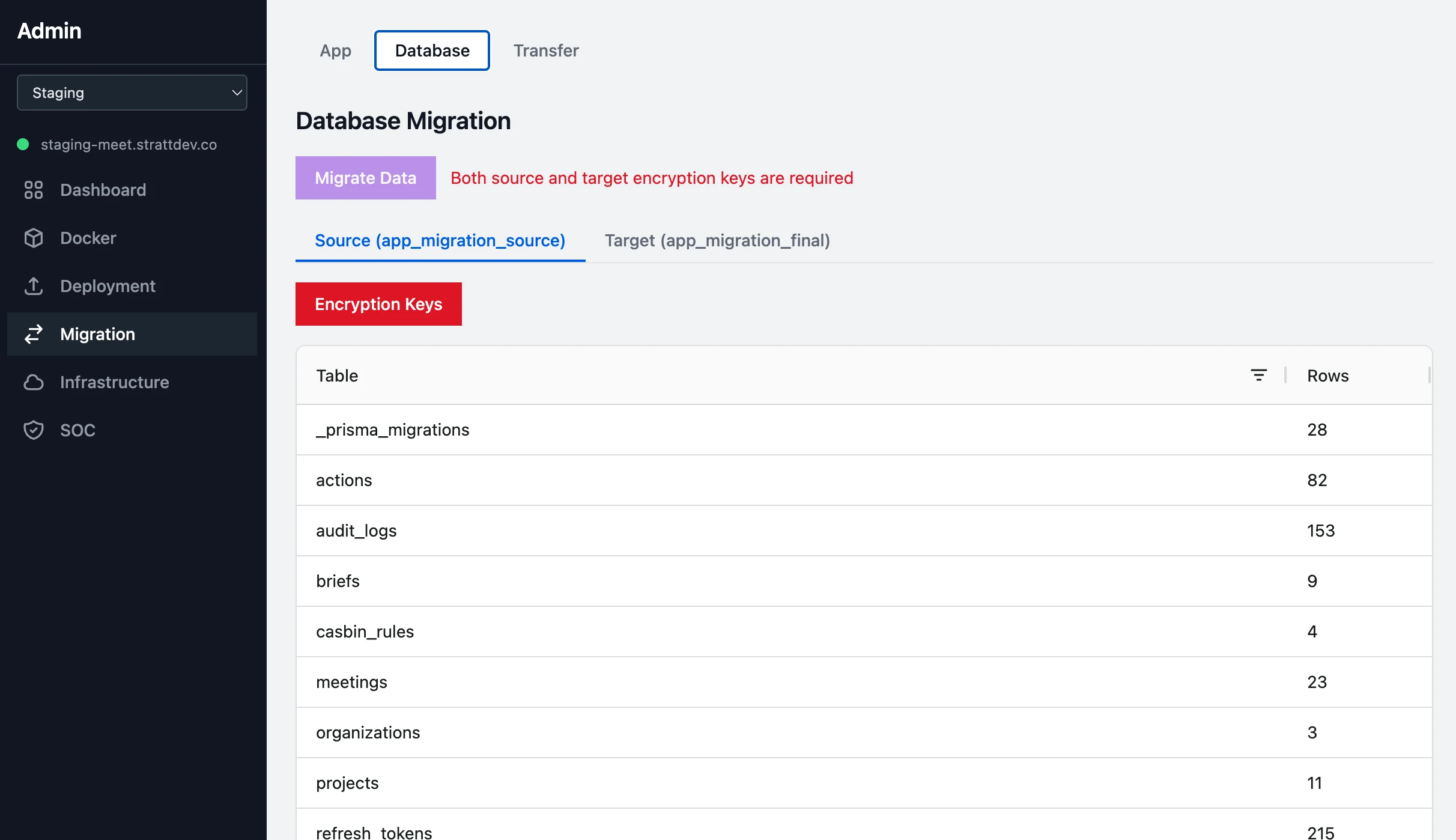
- Schema comparison between Git branches for simple and less simple data migrations
- Field-level diff modals showing source vs. target definitions with merge toggles
- Encryption-aware data migration: decrypts with source keys, re-encrypts with target keys (AES-256-GCM)
- Supports deterministic and non-deterministic encryption modes across PII, MFA, and HIPAA key types
- Cherry-pick code modules from source branch — filter by CORE/APP, CLIENT/SERVER, MODULES/COMPONENTS/STORE
- Three temporary databases created for safe migration: source, current, final — with transfer to production
Compliance Documentation Portal ready for SOC evidencing
A built-in SOC documentation portal with tabs for system infrastructure, CC1 through CC9 trust services criteria, A1, C1, PI1, and Privacy. View rendered markdown, edit as admin, and export any section to PDF — all stored on the filesystem and editable through the admin API.
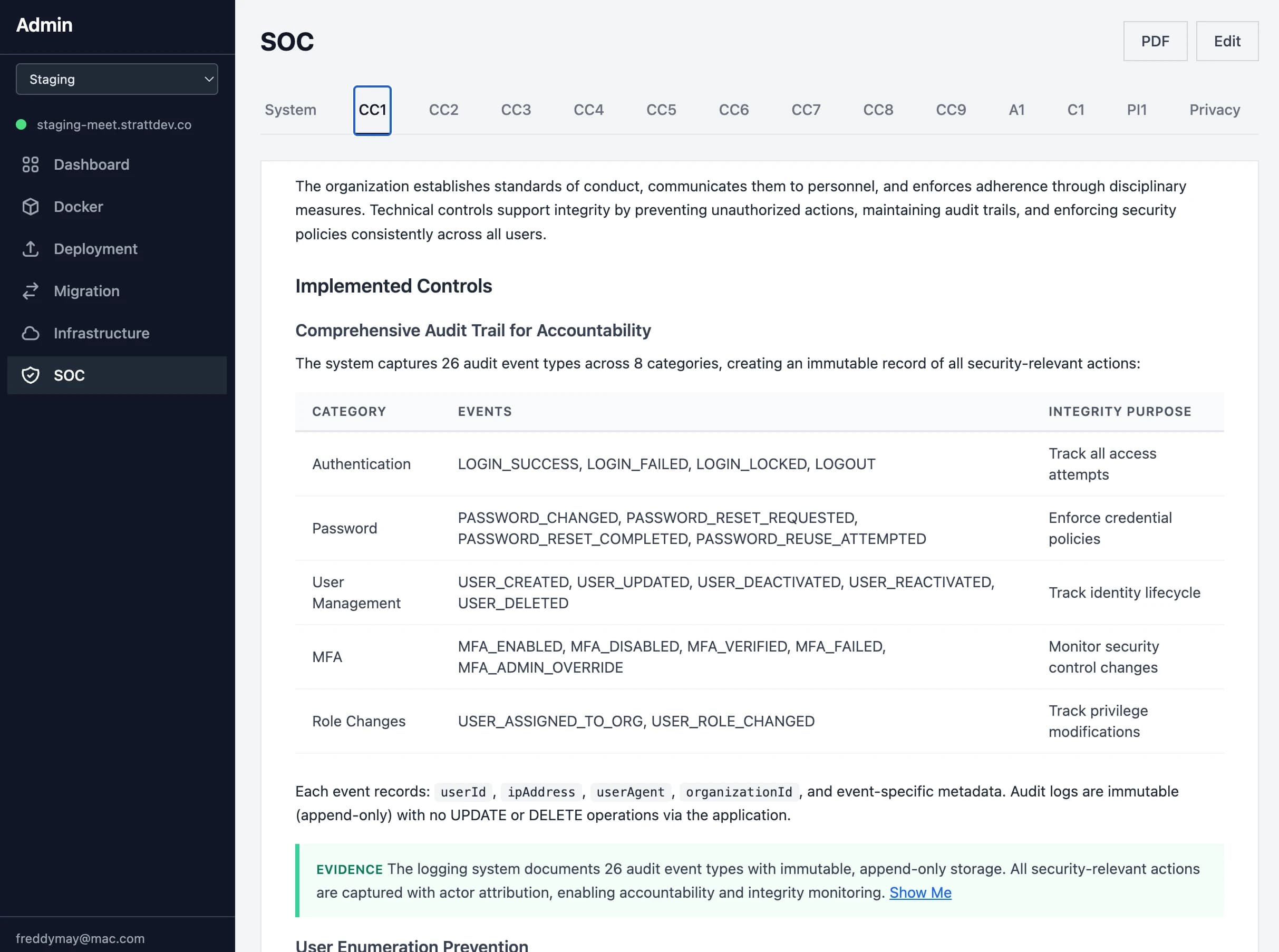
- Tab navigation across SOC framework: System, CC1-CC9, A1, C1, PI1, Privacy
- System sub-tabs: Infrastructure, Architecture, Authentication, MFA, RBAC, Encryption, Logging
- Edit reports in place to tailor the auto-generated content ready for an auditor.
- PDF export of any section with proper styling for auditor handoff